WhatsApp Voice Message → Transcribe → Voice Reply
Transcribe incoming WhatsApp voice notes with Sarvam, then reply with a voice message in the same language.
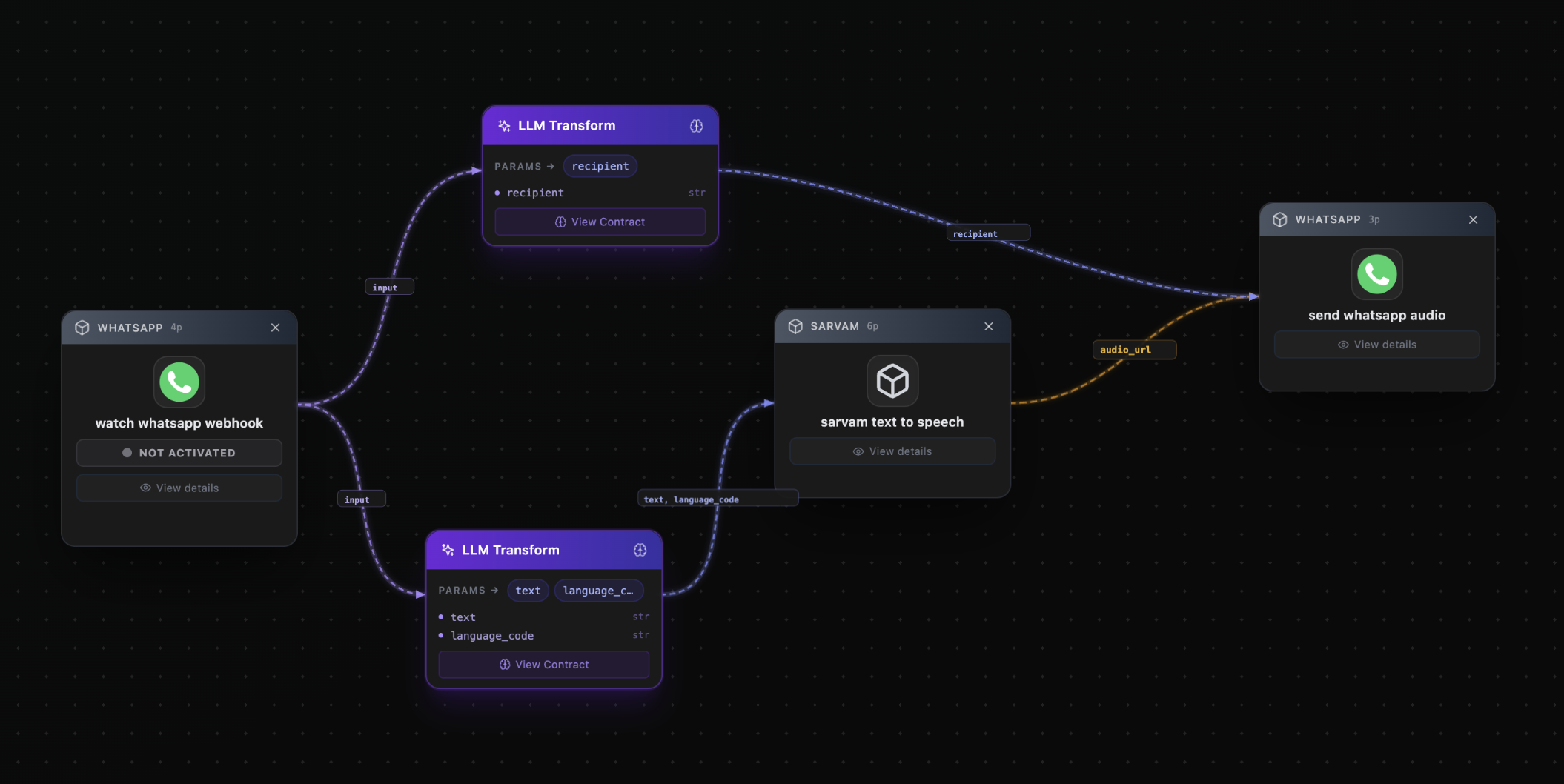
Watch for incoming WhatsApp messages, then transcribe the message to text using Sarvam's speech-to-text, then synthesize a voice reply in the same language as the incoming message using Sarvam's text-to-speech, then send the voice reply via WhatsApp.
Receive and send messages, including voice notes
Sarvam AI
Speech-to-text and text-to-speech in Indian languages
Connect platforms
Step 1Connect the platforms listed above from the Platforms page.
Paste the prompt
Step 2Copy the prompt into ChatVerse and let it plan and run.
Build & deploy
Step 3Click Create Automation Builder, then Deploy to go live.
The workflow
Build this automation
Connect the platforms above, paste the prompt into ChatVerse, and let it build, preview, and deploy the workflow for you.
More examples
Instagram Post + Auto-Reply to Comments
Publish an Instagram post, then reply positively to every unanswered comment.
Daily AI News Image to Instagram
Every day at 1 PM, research news, build a sentiment image, and post it to Instagram.
Job Search → Google Sheets → Email Summary
Find job openings, save them to Google Sheets, and email a summary via Gmail.